

My School Bucks
My School Bucks, or MSB, will include school fees, meal payments, as well as EverAfter and before school. While you will see all charges when you log in to your account, there are a few things you should know about how those different parts of the program work:
You will register for EverAfter separately--there is a link in your parent portal that will take you to MSB Activities. From there, click on Enrollments to register for EverAfter.
Meal payments have an auto-pay feature. Adding lunch money and setting up auto-pay can be found under ‘meal program’.
Pro Tip:
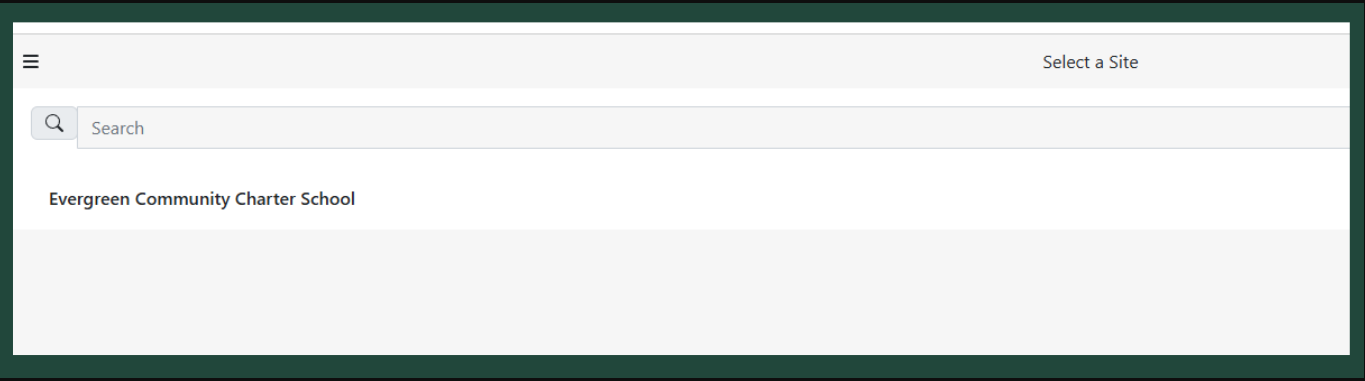
When you register for EverAfter/ Clubs, etc. under MSB Activities>> Enrollments, it will take you to a page that says: “Evergreen Community Charter School,” or there may be multiple, if you attend multiple schools using the MSB system. (See image below.)
You WILL be wondering: “What do I do now!?! “
It wants you to click on the words “Evergreen Community Charter School”. Just click there, and the rest is fairly intuitive.
Still Need Assistance?
MySchoolBucks Parent Support Line: 1-855-832-5226
Mon-Fri- 7am-7pm (Eastern Time)